

Chamet Agency Registration
Build a livestreaming-based network
Recruit streamers, grow your sub-agent network, and Commission rates can reach up to 24%, depending on performance. — daily, automatically, directly to your wallet.
How to Register Chamet Agency ? (Step-by-Step)
Register as a Chamet agent using the agency registration page.
Enter your phone number and verify the OTP.
Create a password and complete your registration.
Log in to the agent dashboard at ChametLogin.com
Complete your agency profile .
Step 1
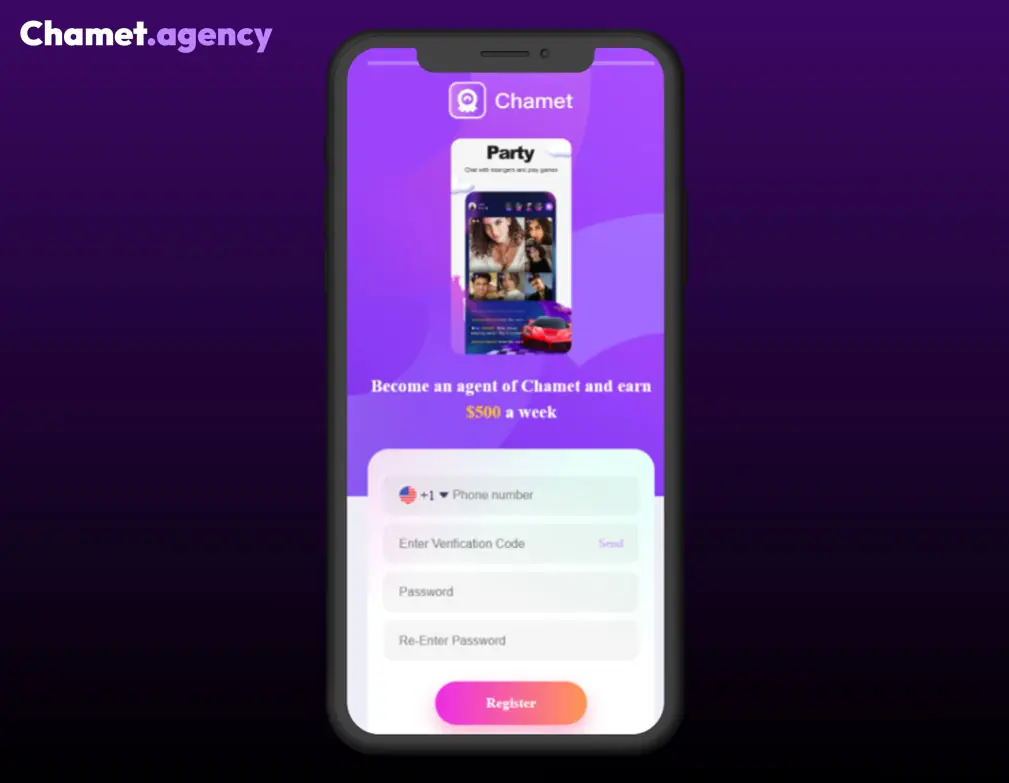
First, go to the official Chamet Agency Registration Form →
On the registration page, you will be asked to provide basic details such as:
- your phone number
- your country or region
- Entering an OTP (One-Time Password) SMS sent to your phone number to confirm your identity.
Important: Never share your OTP with anyone, as it is critical for account security.
Step 2
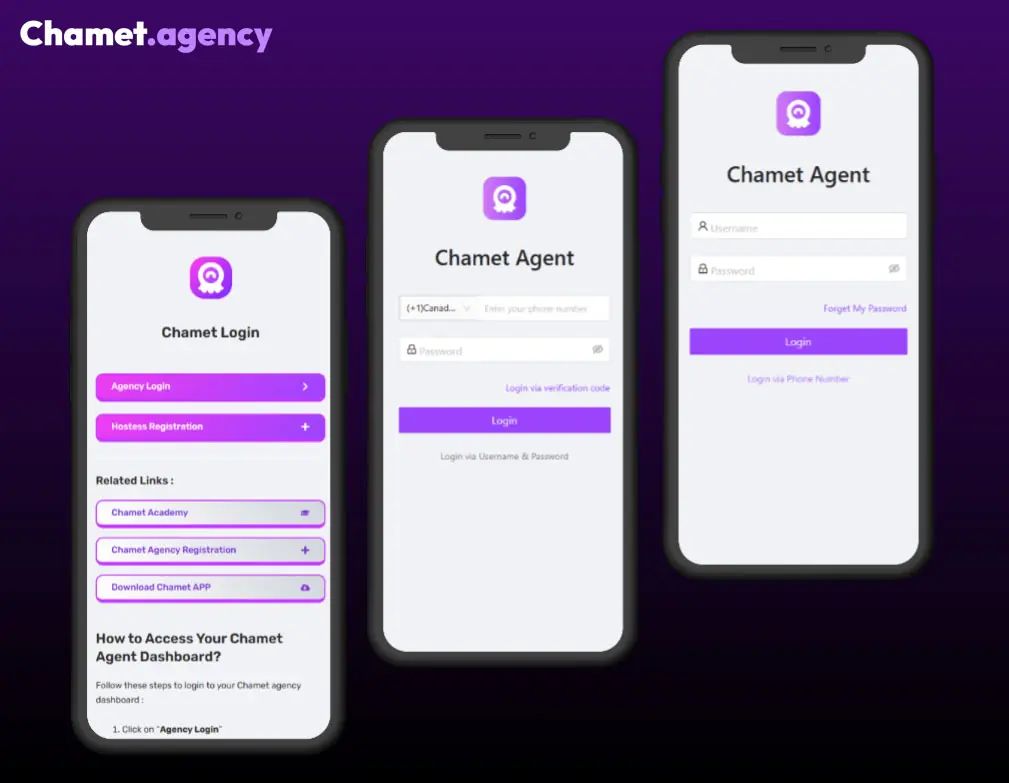
After registration, you can log in through the official Chamet Login portal to access your Chamet Agency Dashboard →
Inside the Chamet agency dashboard, you can:
- Generate invitation links
- Recruit streamers and subagents
- Check salaries and your own revenue
- Track commission performance
This dashboard is the central control panel used to manage your Chamet agency.
Step 3
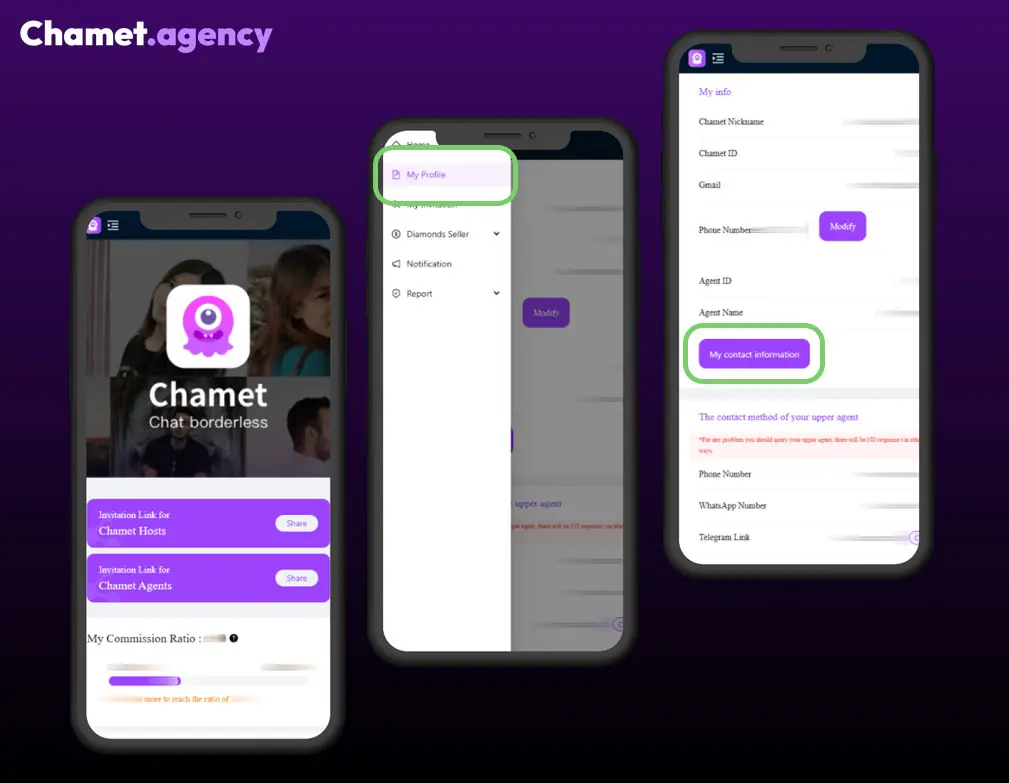
Once inside the dashboard, you can begin growing your team.
Most agents start by:
- Copy invitation link for inviting streamers and sub-agents to expand their network
- Add your agency contact information.
- Go to My Profile > My info section > My contact information.
As your team grows, your commission ratio increases according to the Chamet agency commission structure.
Step 4
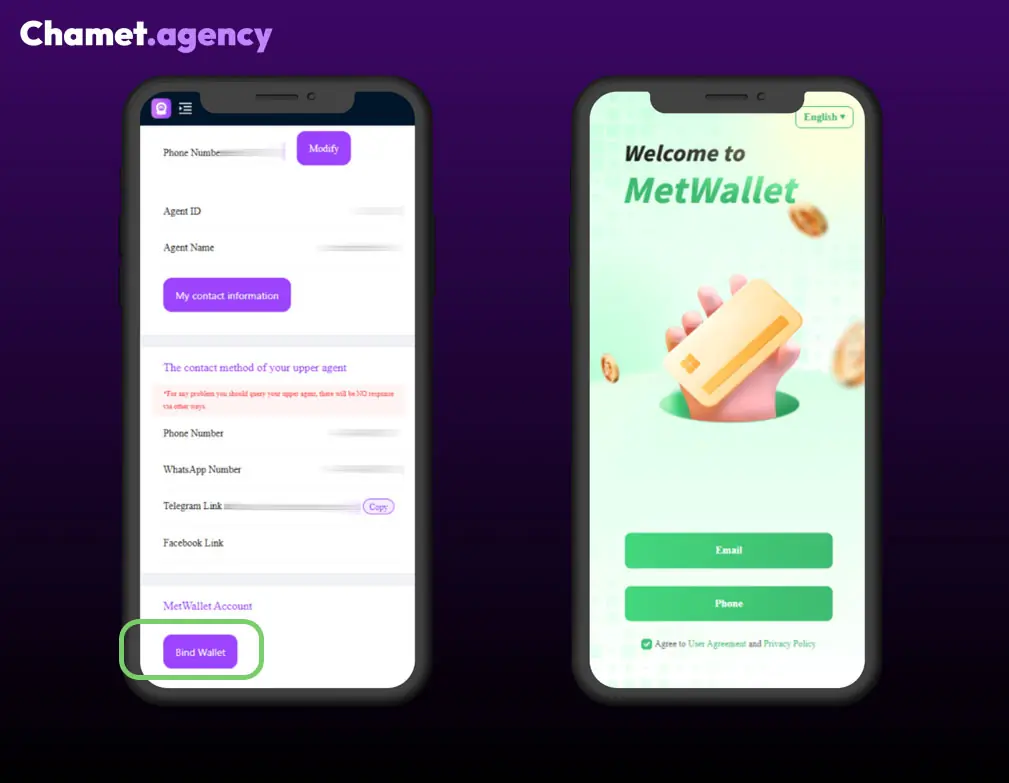
To receive commission payouts, you must bind a Metwallet account in the agency backend.
- In your Chamet agent dashboard, Go to My Profile > MetWallet Account section > Bind Wallet.
- New page will be opened and continue registration of your Metwallet account.
- Withdrawal: From Metwallet, you can transfer funds to a bank card or other available channels
You can initiate payouts once the minimum payout threshold is reached.
Step 5
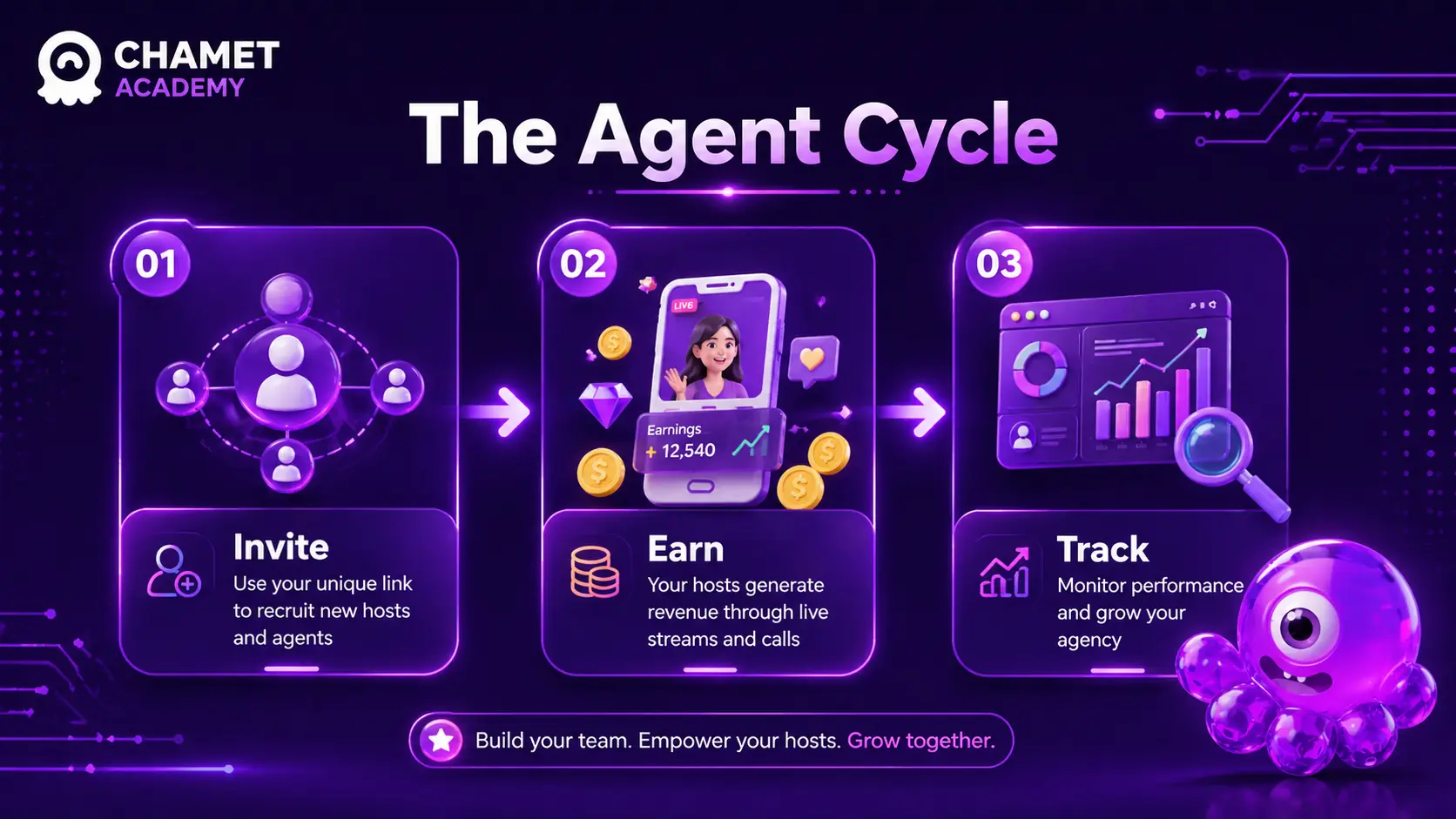
So your role is simple:
- Bring new streamers into your Agency (using your invitation Link)
- Help them get started and stay active (Onboarding)
- Expand your network by inviting other agents
You’re not selling a product.
You’re building and managing a performance-based network.
Over time, your focus shifts from recruiting to maintaining and scaling your team.
Start Your Chamet Agency Today
By completing the registration steps and learning how to use the Chamet agent dashboard, you can begin building your agency network. The guides on this website explain how to manage invitations, track reports, understand commission ratios, and scale your Chamet agency successfully.
You will be redirected to the official Chamet registration platform
Chamet Agency Guides
Chamet Agency Commission
Understand commission levels, calculations and how agency revenue is generated.
Chamet Agency Dashboard
Learn how to manage hosts, sub-agents, reports and agency performance.
Chamet Agency Recruitment
Learn how to recruit and manage hosts and grow your agency network.
Chamet Agency Payments
Understand commission payouts, MetWallet and agency withdrawals.
FAQ for Chamet Agency
Below is the essential FAQ for managing a Chamet Agency, covering registration, commissions, team management, and withdrawals.
How do I become a Chamet Agent?
You must register at Chamet Agency Registration form After successful registration, you can manage your team via https://chametlogin.com
What if I don’t receive my OTP/SMS code during registration?
This is usually due to local network issues. Try again later or cjeck if you choosed the right country code or the right phone number.
How is my commission ratio calculated?
Your daily ratio is determined by the total earnings of your streamers and sub-agents over the last 30 days. New Agents (<30 days): Calculated from your registration day to yesterday.
Can I add existing Chamet users to my agency?
No. Only users who register through your link can be added. Existing users cannot be manually added.
Are there rules against “poaching”?
Yes. You cannot bind streamers who already work for Chamet or entice them to switch agencies. Violations result in stopping cooperation and holding payments.
How do I withdraw my commission?
You must bind a Metwallet account in your agency backend (My Profile > MetWallet Account > Bind Wallet).
When will I receive my money?
Once your accumulated commission reaches $10, the system automatically transfers it to Metwallet daily.
How do I become a Diamond Seller?
You must be a registered Agent and meet specific commission ratio requirements (which may change periodically). Access the “Diamonds Seller” section in your dashboard to apply.